Delta Force: how to use your own weapon code
Profiles are tuned for the weapon codes we provide. Using your own code changes the gun's recoil, so you adapt the profile's sensitivity to match it.
Pro only
Before you start
Start with our weapon code: check that the in-game settings are right and the effect matches, then continue with the steps below.
Step 1: note both multipliers
With our code, check the recoil panel
Import our weapon code in game, open the weapon build screen → Recoil Control, and read the full-auto vertical and horizontal recoil multipliers under the detailed attributes.
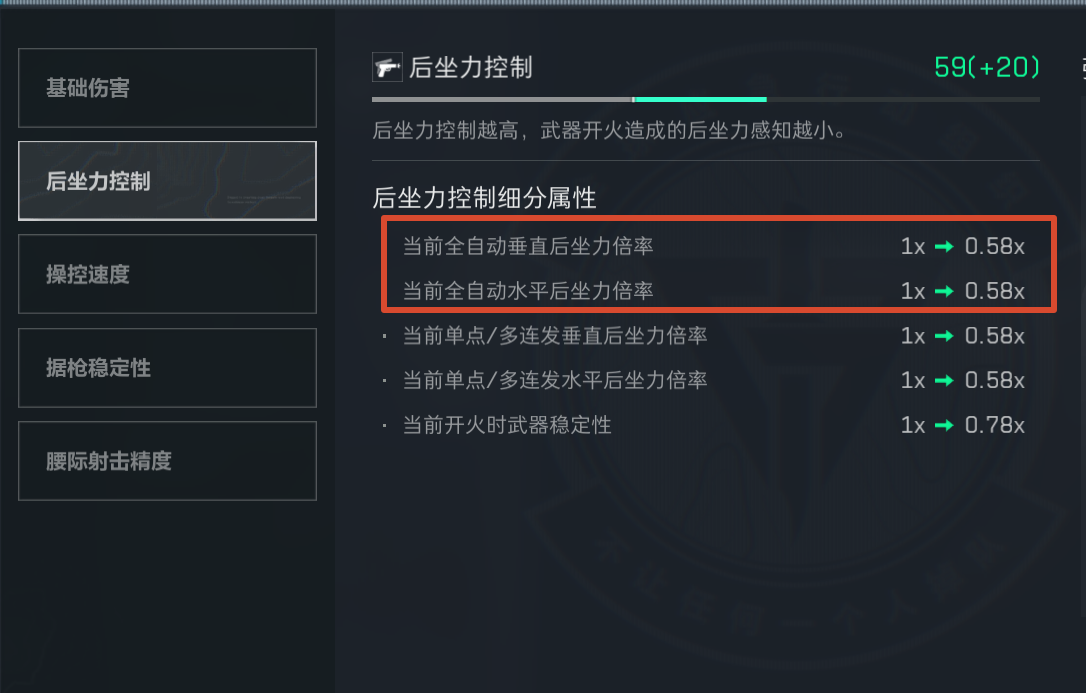
Using our code (58-AKM as an example): vertical 0.58, horizontal 0.58 Switch to your own code and check again
Apply your own weapon code; the same two lines change.
If both multipliers are identical to step 1 and your optic zoom is unchanged (for example 1.25 before and still 1.25 now), you are done. Keep using our profile and skip step 2.
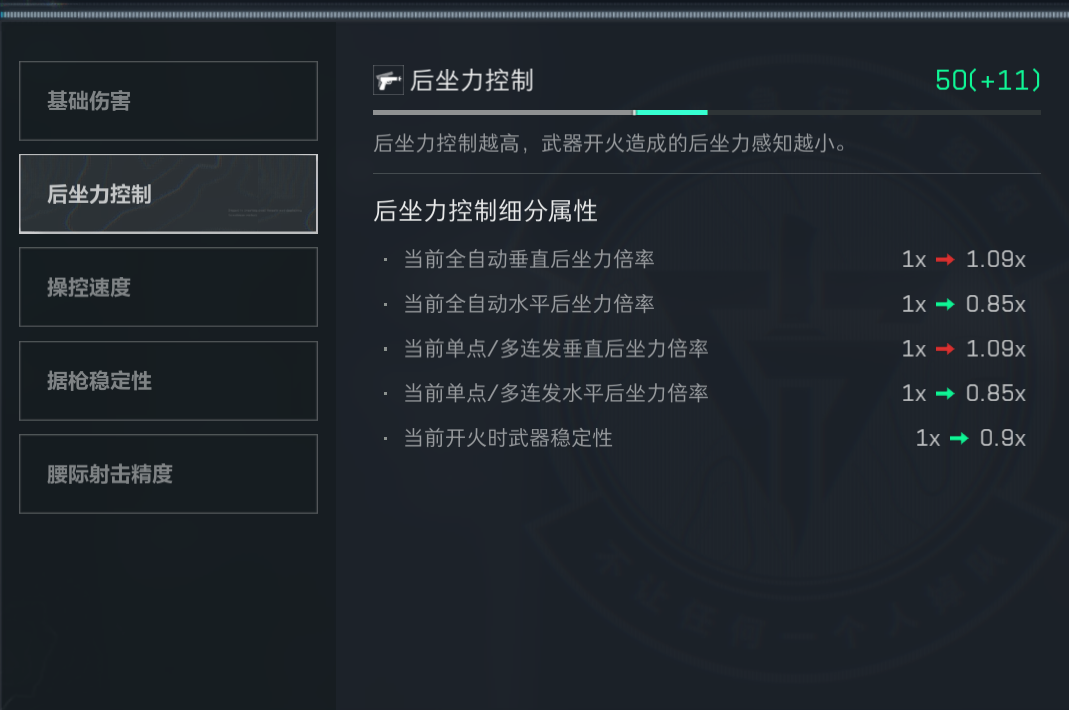
Assume your new code gives: vertical 1.09, horizontal 0.85
Step 2: scale the profile (only if the multipliers differ)
On the profile, tap ⋯ → Adjust Sensitivity, then adjust the vertical and horizontal values
Find the matching profile (for example #57 AKM), tap ⋯ at the bottom-right of the card, and choose Adjust Sensitivity. Enter 1.09 ÷ 0.58 ≈ 1.88 for vertical and 0.85 ÷ 0.58 ≈ 1.47 for horizontal, then save.
The profile now matches your code's multipliers
Step 3: fine-tune against a wall
Shoot one magazine at a wall
Those values are what the math says; real recoil may differ, so fine-tune against the wall. Shoot one magazine at a wall and watch the pattern. If it over-compensates, lower the vertical multiplier. If it under-compensates, raise it. Repeat until it feels right.
Horizontal: same as above
Back to the main line: Quickstart : import the code after activating the matching profile there.